Sale Price:
£14.99
Original Price:
£99.99
Transform Your Wedding Photos Into Cinematic, Moody Masterpieces in Seconds
Create the timeless, emotional, dark-moody wedding aesthetic you love—without expensive editing or complicated steps. This dark and moody lightroom wedding presets ( for mobile & desktop and Photoshop ACR) is designed to instantly give your photos deep contrast, rich shadows, warm skin tones, and film-inspired atmospheres perfect for couples, elopements, weddings, and engagement shoots.
Whether you’re a professional wedding photographer or someone editing their own wedding gallery, this preset delivers consistent, cinematic results with just one click.
Why You’ll Love This Preset
✔ One-click transformation for dark & moody vibes
✔ Perfect for wedding, elopement & couples photography
✔ Works on Lightroom Mobile and Desktop, and Photoshop Adobe Camera Raw
✔ Designed for all lighting situations — golden hour, indoor weddings, cloudy days
✔ Maintains natural, warm skin tones
✔ High-ticket preset packs
✔ Beginner-friendly, no editing experience required
✔ Instant digital download—start editing within minutes
This is the easiest way to achieve the moody wedding look trending across Pinterest and Instagram.
Editing Style & Look
This preset is built to create a signature dark moody style:
Deep blacks & rich contrast
Golden highlights for warm romance
Muted greens & cinematic tones
Softened whites for a film-inspired feel
Balanced warmth for natural skin tones
Perfect for outdoor, indoor, and low-light weddings
Your photos will instantly look emotional, dramatic, and magazine-ready—ideal for wedding albums, Instagram, blogs, or prints.
Compatibility
This preset works on:
Lightroom Mobile
Lightroom Desktop
Lightroom Classic
Lightroom CC
Adobe Camera Raw
Mac + Windows
Works with RAW & JPEG
Instant Download
As soon as your purchase is complete, you’ll get immediate access to your preset files and installation guide. No waiting, no delays—just download and start editing.
FAQs
Does this preset work on Lightroom Mobile?
Yes! It includes a DNG file that works on the Lightroom Mobile app
Is this preset beginner-friendly?
Absolutely. Just tap once and adjust exposure and white balance for your photo. A PDF guide is included.
Does it work with RAW or JPEG?
Both. Works perfectly for professional cameras and smartphones.
Can I use it for other types of photos?
Yes — it works beautifully on outdoor portraits, couples, lifestyle, travel, and editorial shots.
What is your refund policy?
Because this is a digital product, all sales are final and non-refundable. But if you need help installing or using your preset, support is always available.
Transform Your Wedding Photos Into Cinematic, Moody Masterpieces in Seconds
Create the timeless, emotional, dark-moody wedding aesthetic you love—without expensive editing or complicated steps. This dark and moody lightroom wedding presets ( for mobile & desktop and Photoshop ACR) is designed to instantly give your photos deep contrast, rich shadows, warm skin tones, and film-inspired atmospheres perfect for couples, elopements, weddings, and engagement shoots.
Whether you’re a professional wedding photographer or someone editing their own wedding gallery, this preset delivers consistent, cinematic results with just one click.
Why You’ll Love This Preset
✔ One-click transformation for dark & moody vibes
✔ Perfect for wedding, elopement & couples photography
✔ Works on Lightroom Mobile and Desktop, and Photoshop Adobe Camera Raw
✔ Designed for all lighting situations — golden hour, indoor weddings, cloudy days
✔ Maintains natural, warm skin tones
✔ High-ticket preset packs
✔ Beginner-friendly, no editing experience required
✔ Instant digital download—start editing within minutes
This is the easiest way to achieve the moody wedding look trending across Pinterest and Instagram.
Editing Style & Look
This preset is built to create a signature dark moody style:
Deep blacks & rich contrast
Golden highlights for warm romance
Muted greens & cinematic tones
Softened whites for a film-inspired feel
Balanced warmth for natural skin tones
Perfect for outdoor, indoor, and low-light weddings
Your photos will instantly look emotional, dramatic, and magazine-ready—ideal for wedding albums, Instagram, blogs, or prints.
Compatibility
This preset works on:
Lightroom Mobile
Lightroom Desktop
Lightroom Classic
Lightroom CC
Adobe Camera Raw
Mac + Windows
Works with RAW & JPEG
Instant Download
As soon as your purchase is complete, you’ll get immediate access to your preset files and installation guide. No waiting, no delays—just download and start editing.
FAQs
Does this preset work on Lightroom Mobile?
Yes! It includes a DNG file that works on the Lightroom Mobile app
Is this preset beginner-friendly?
Absolutely. Just tap once and adjust exposure and white balance for your photo. A PDF guide is included.
Does it work with RAW or JPEG?
Both. Works perfectly for professional cameras and smartphones.
Can I use it for other types of photos?
Yes — it works beautifully on outdoor portraits, couples, lifestyle, travel, and editorial shots.
What is your refund policy?
Because this is a digital product, all sales are final and non-refundable. But if you need help installing or using your preset, support is always available.
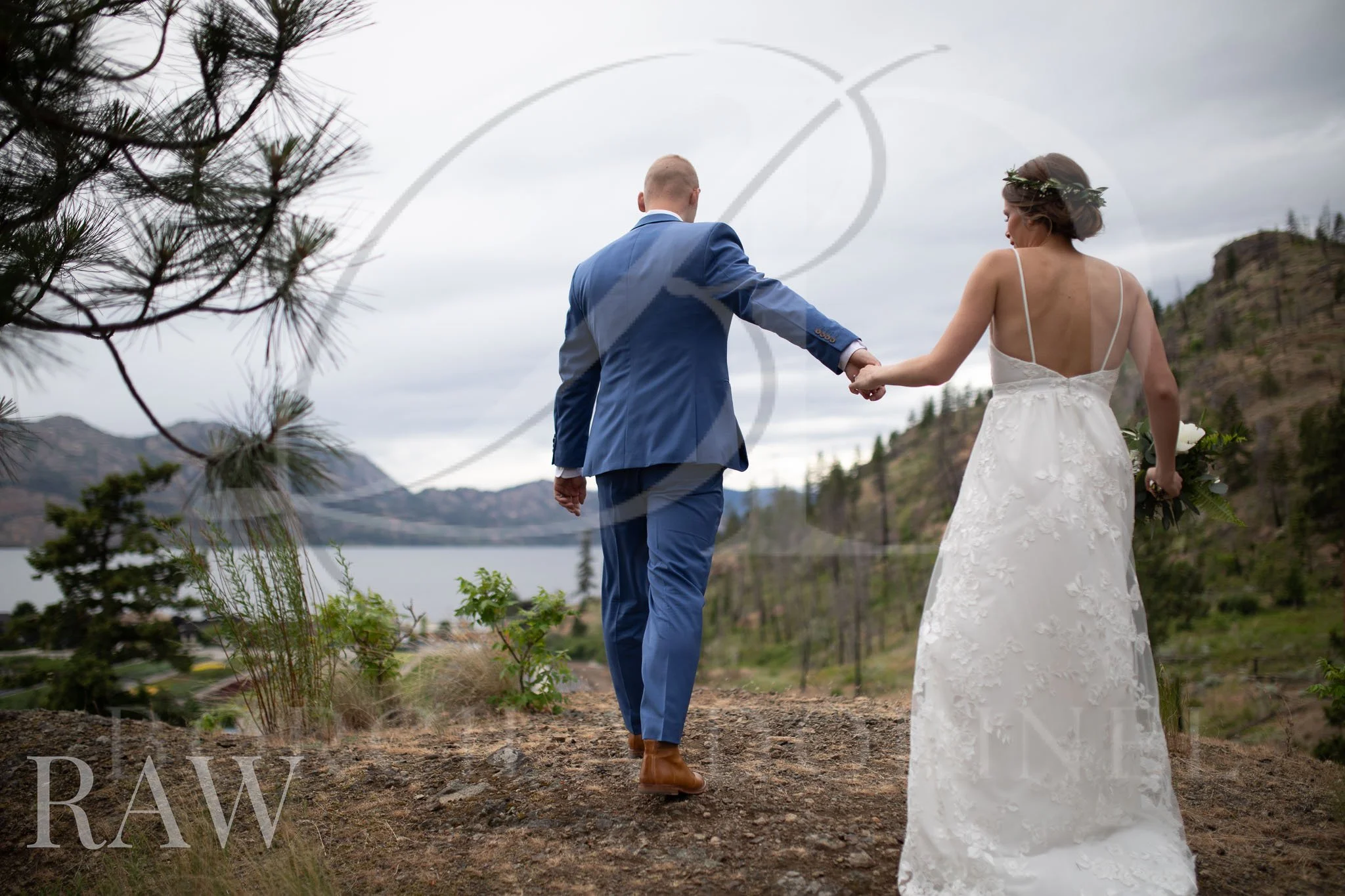 Image 1 of 3
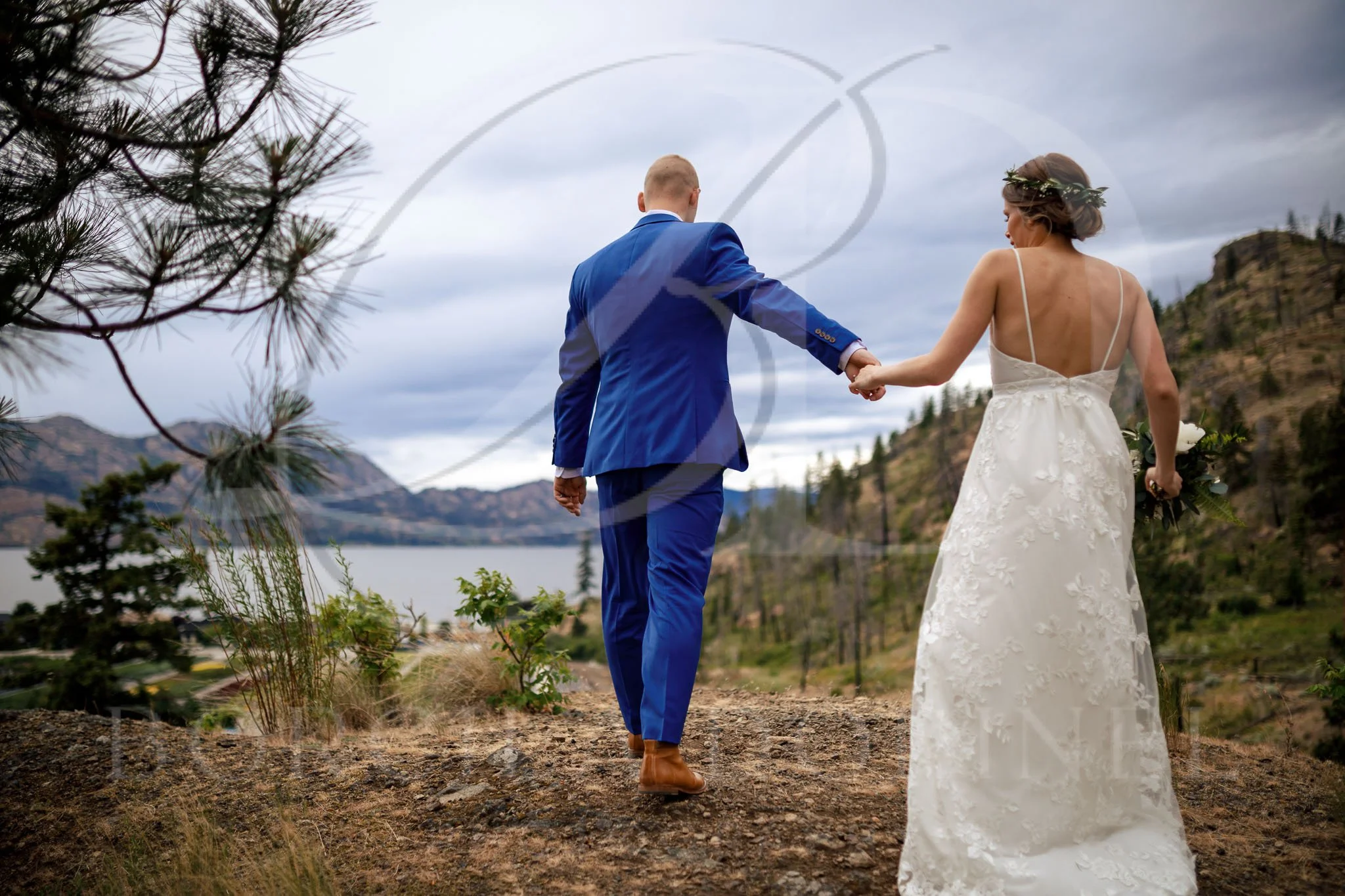 Image 2 of 3
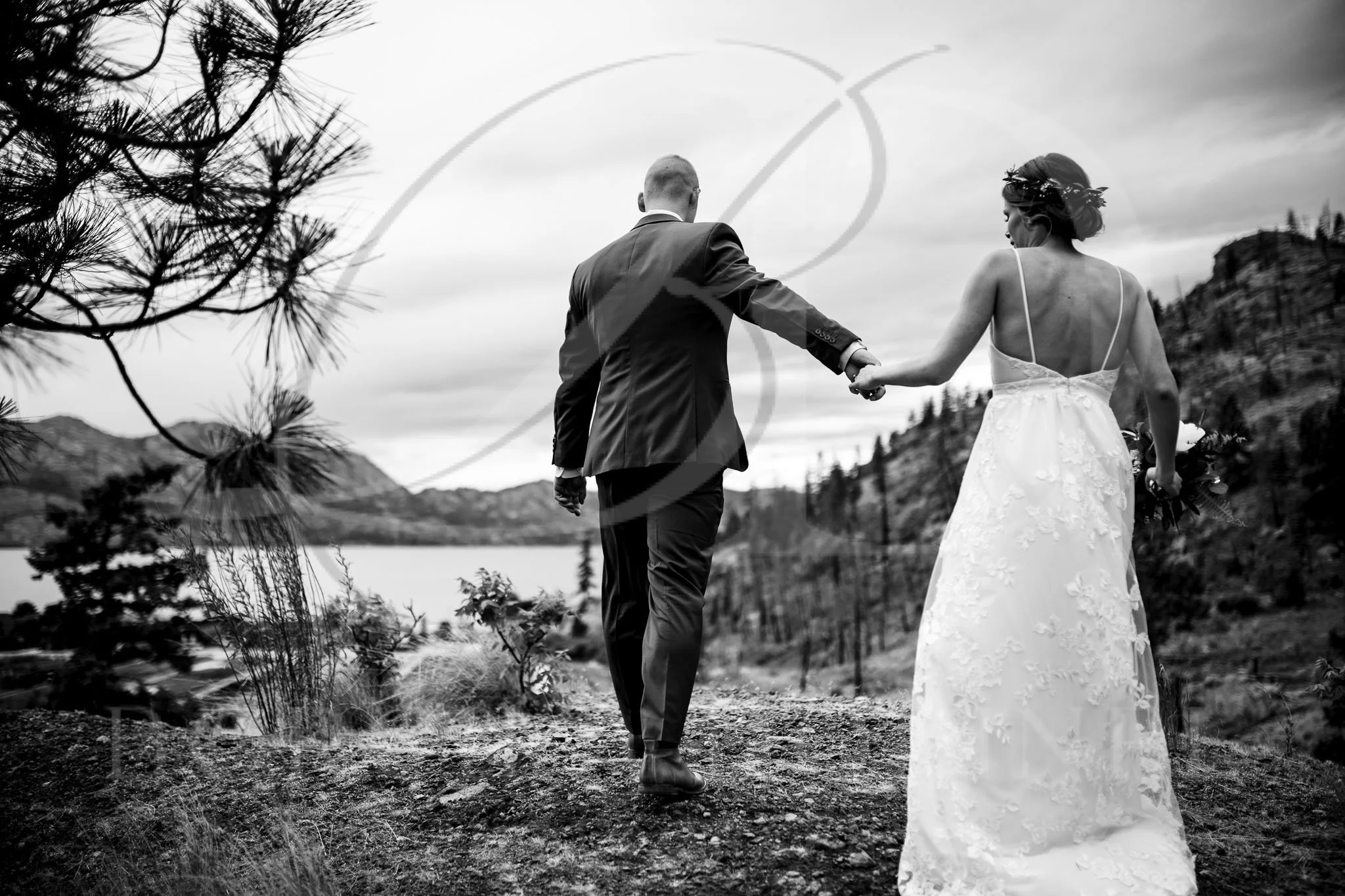 Image 3 of 3